Ollama runs open-weight models on your own machine behind a small HTTP server. No API key, no per-token bill, and your prompts never leave the laptop. It's the model backend for my OpenClaw Telegram assistant, and the easiest way I know to learn how LLMs behave.
Every screenshot here is real terminal output, captured while writing this guide.
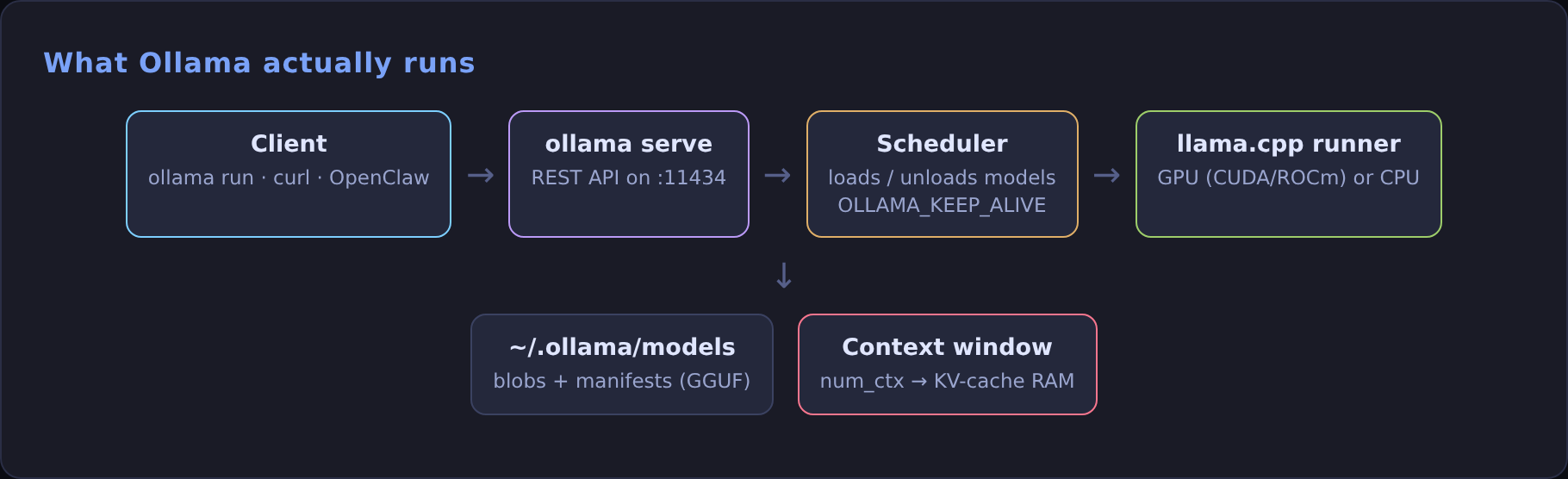
1. Install it
On Omarchy, use Install > AI > Ollama in the menu (Super + Alt + Space), or install from the repos. Pick the package that matches your GPU:
On any other Linux, the official script does the same: curl -fsSL https://ollama.com/install.sh | sh.
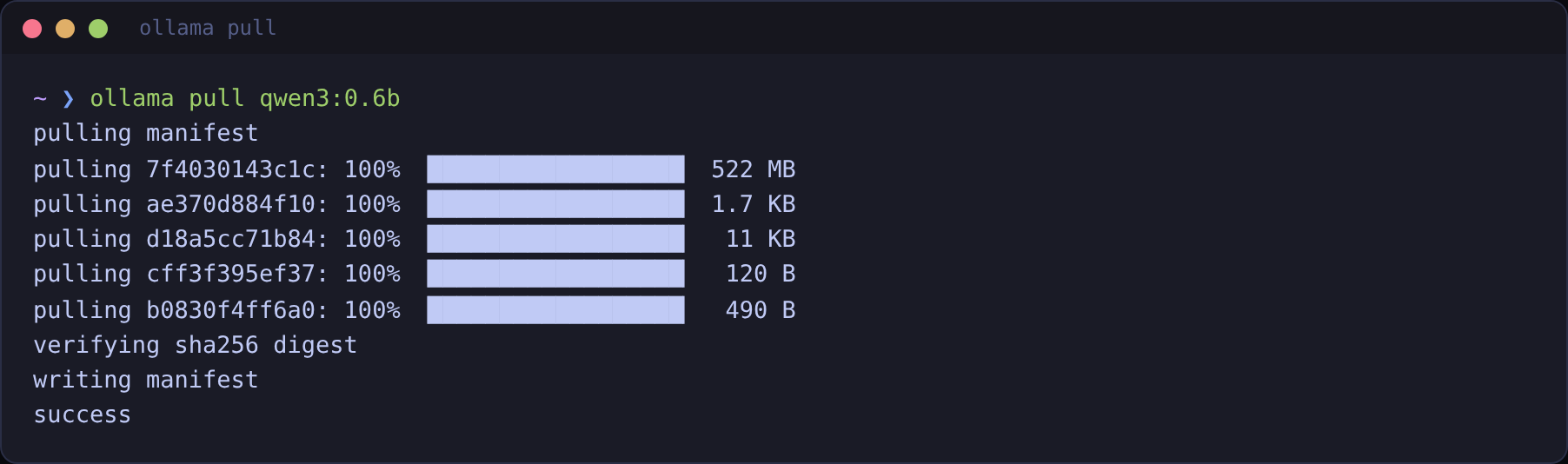
2. Pull and run a model
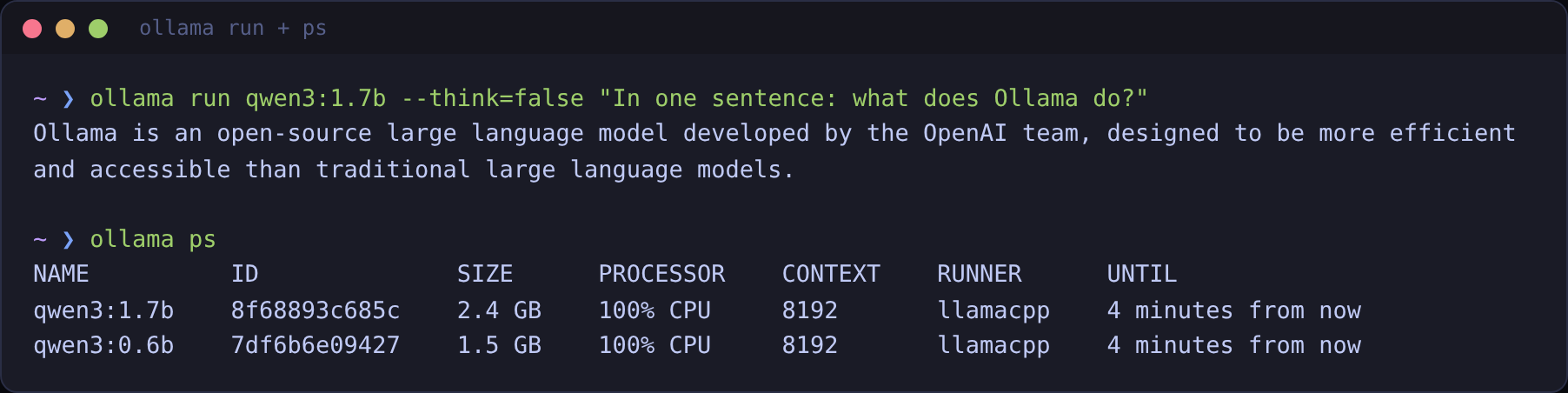
Look at that answer. Ollama is not a model and has nothing to do with OpenAI, but a small model said so with total confidence. Small local models are great for classification, extraction, formatting and grounded answers. Don't trust them on facts from memory. Give them the facts (that's what RAG is for).
ollama ps is the other half of that screenshot. It shows what's loaded, how much memory it takes, whether it's on GPU or CPU, and the context size it was loaded with.
3. Pick a model that fits your hardware
Rules of thumb that have held up for me:
- Memory: a 4-bit model needs roughly 0.6 to 0.7 GB per billion parameters, plus room for the context. A 7–8B model wants about 6 GB of VRAM; a 14B model about 10 GB.
- Context costs memory too. The KV cache grows with
num_ctx. On a test box with 8 GB of RAM, a 32k context on even a tiny model got the runner killed and every request returned HTTP 500. Dropping to 8k fixed it. - Start small, then go up. Try a 1.7B–4B model first to check your pipeline works, then move to the largest model that stays fast enough.
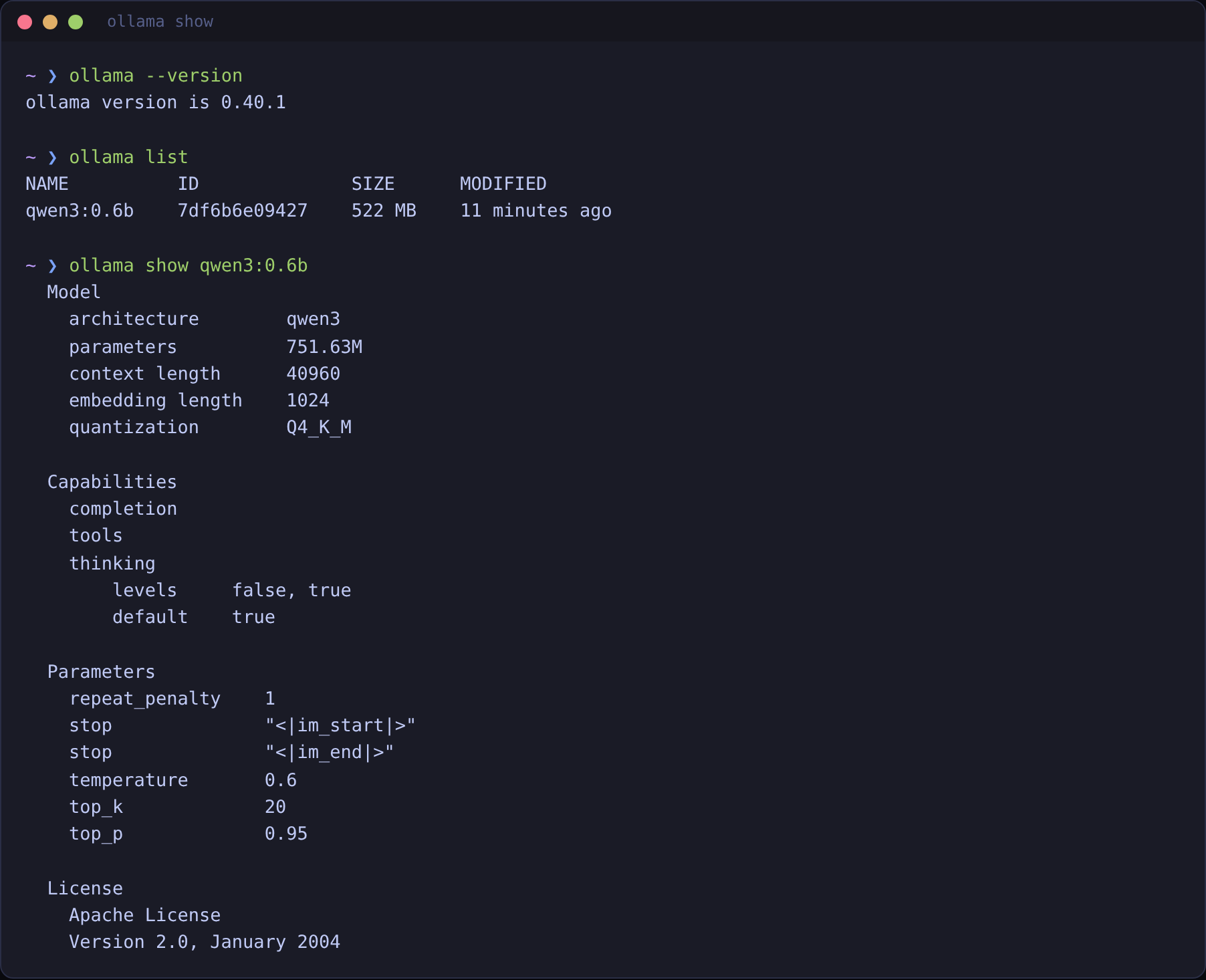
ollama show tells you whether a model supports tools and thinking before you build on it.4. Call it from code
The CLI is a client for a REST API on localhost:11434. There's a native API and an OpenAI-compatible one, so most SDKs work by changing the base URL.
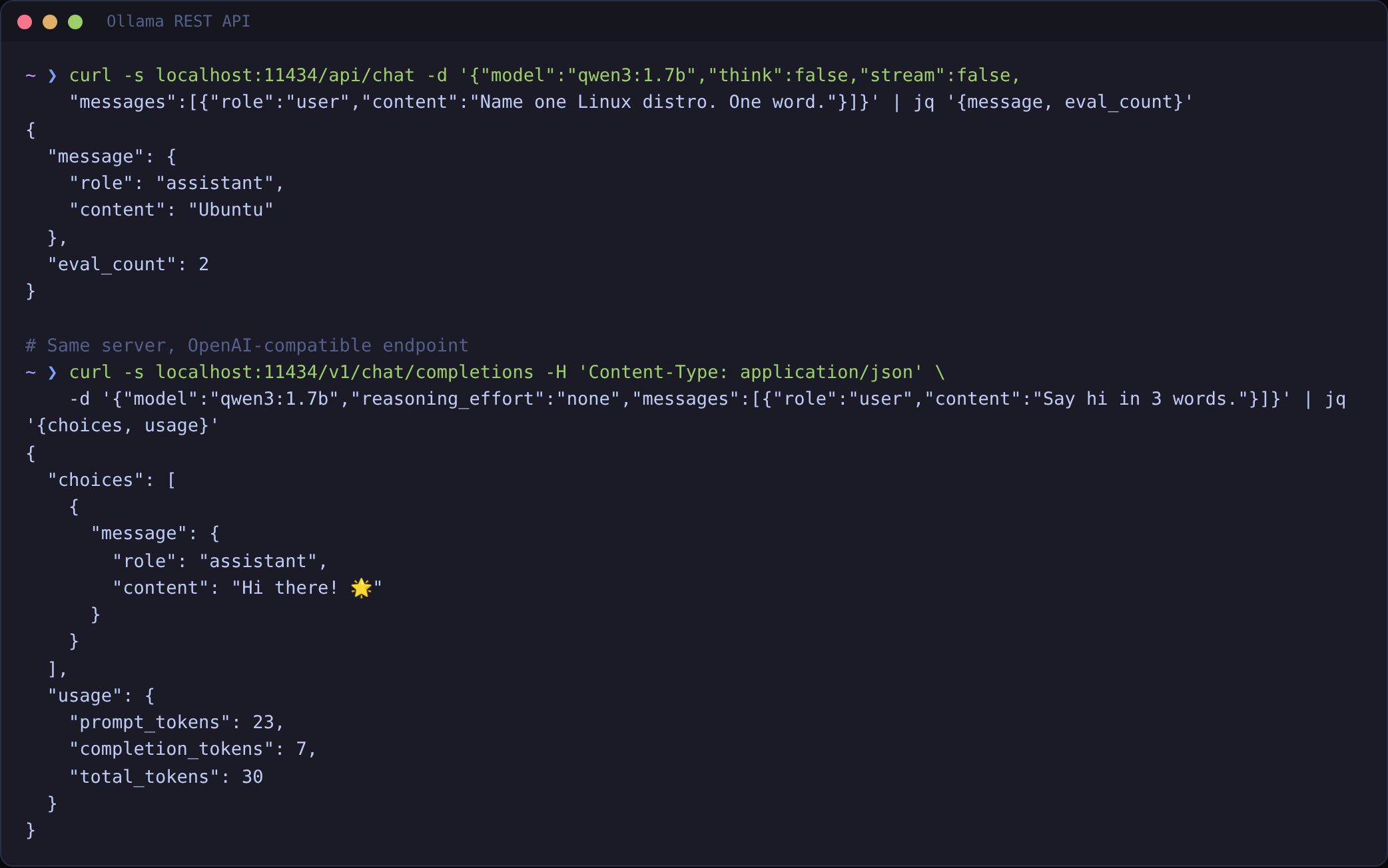
In Python with the OpenAI SDK:
5. Make your own model with a Modelfile
A Modelfile bakes a system prompt and parameters into a named model, so every client gets the same behaviour:
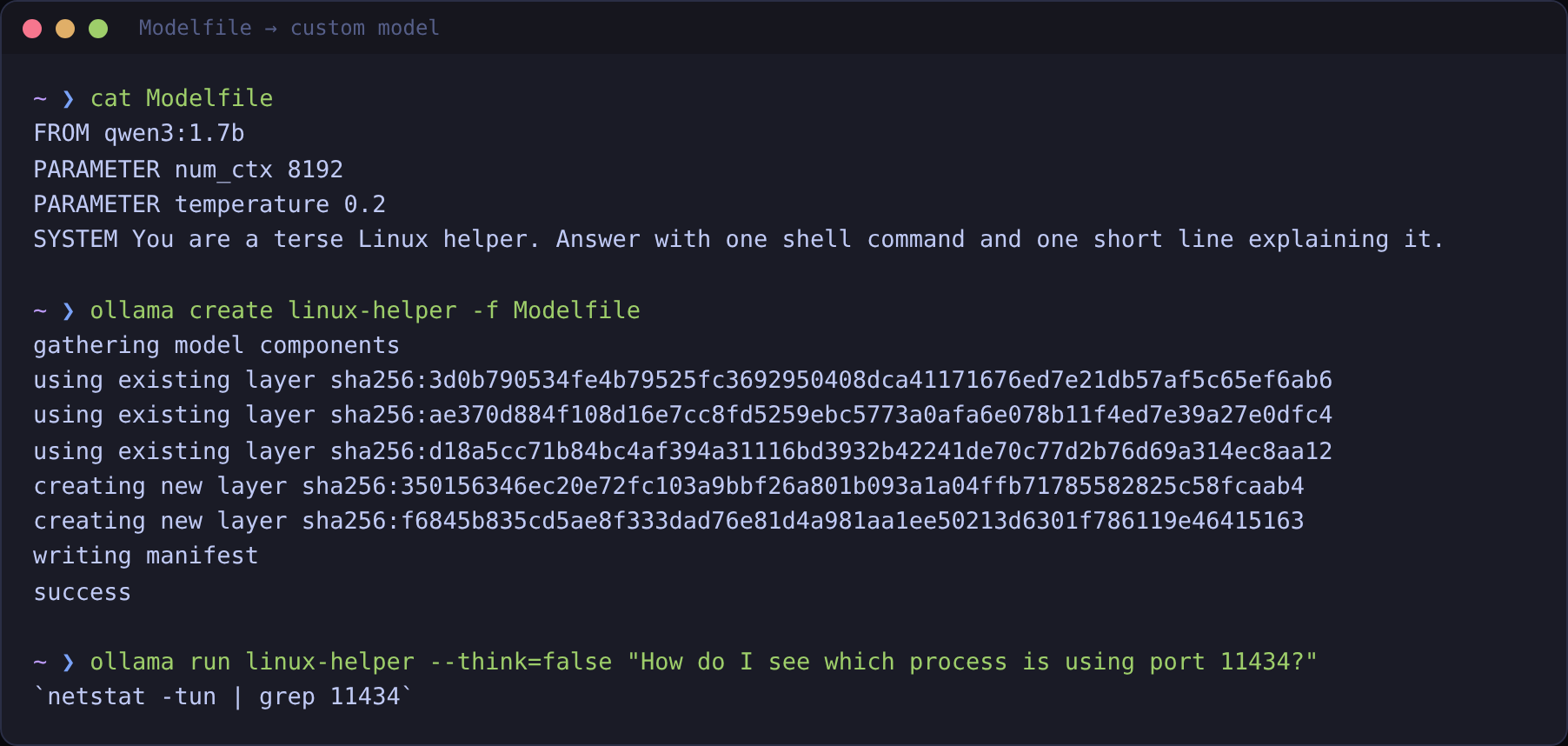
linux-helper model built from qwen3:1.7b. It reuses the base layers, so it costs almost no disk.Notice it answered with netstat, which is fine, but on Omarchy I'd use ss -ltnp | grep 11434. Small models give the most common answer, not always the best one.
6. Embeddings for search and RAG
Ollama also serves embedding models. nomic-embed-text is small and good enough to build real retrieval on:
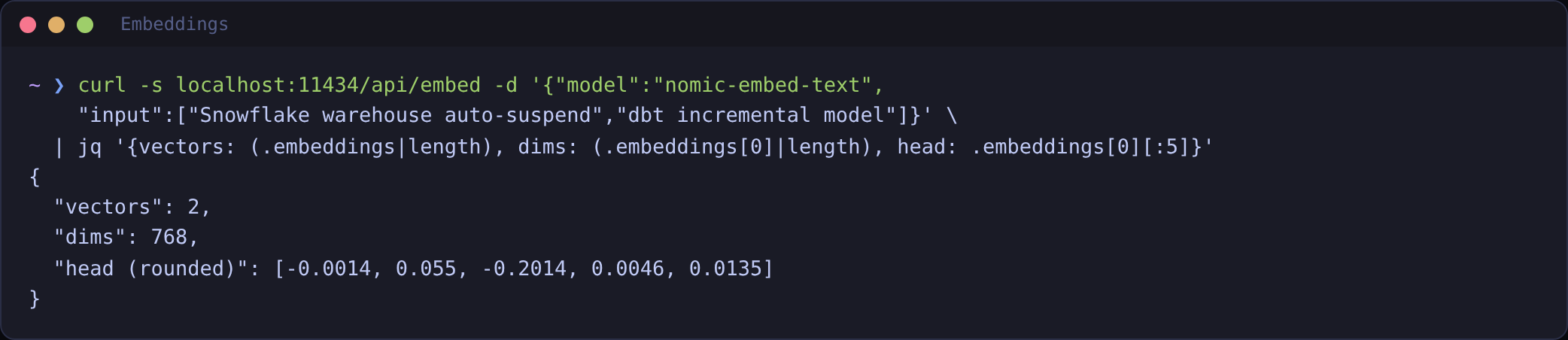
The RAG guide uses exactly this to build a 30-line retrieval demo.
7. Settings worth changing
Set these on the service so every client gets them:
Keep the server on 127.0.0.1. The API has no authentication, so anyone who can reach the port can use your GPU.
Cheat sheet
| Command | What it does |
|---|---|
ollama pull <model> | Download a model |
ollama run <model> | Chat, or answer one prompt |
ollama ps | What's loaded, on GPU or CPU, and its context |
ollama show <model> | Capabilities and parameters |
ollama create <name> -f Modelfile | Build a custom model |
ollama launch openclaw | Set up OpenClaw on top of Ollama |